 EN
EN

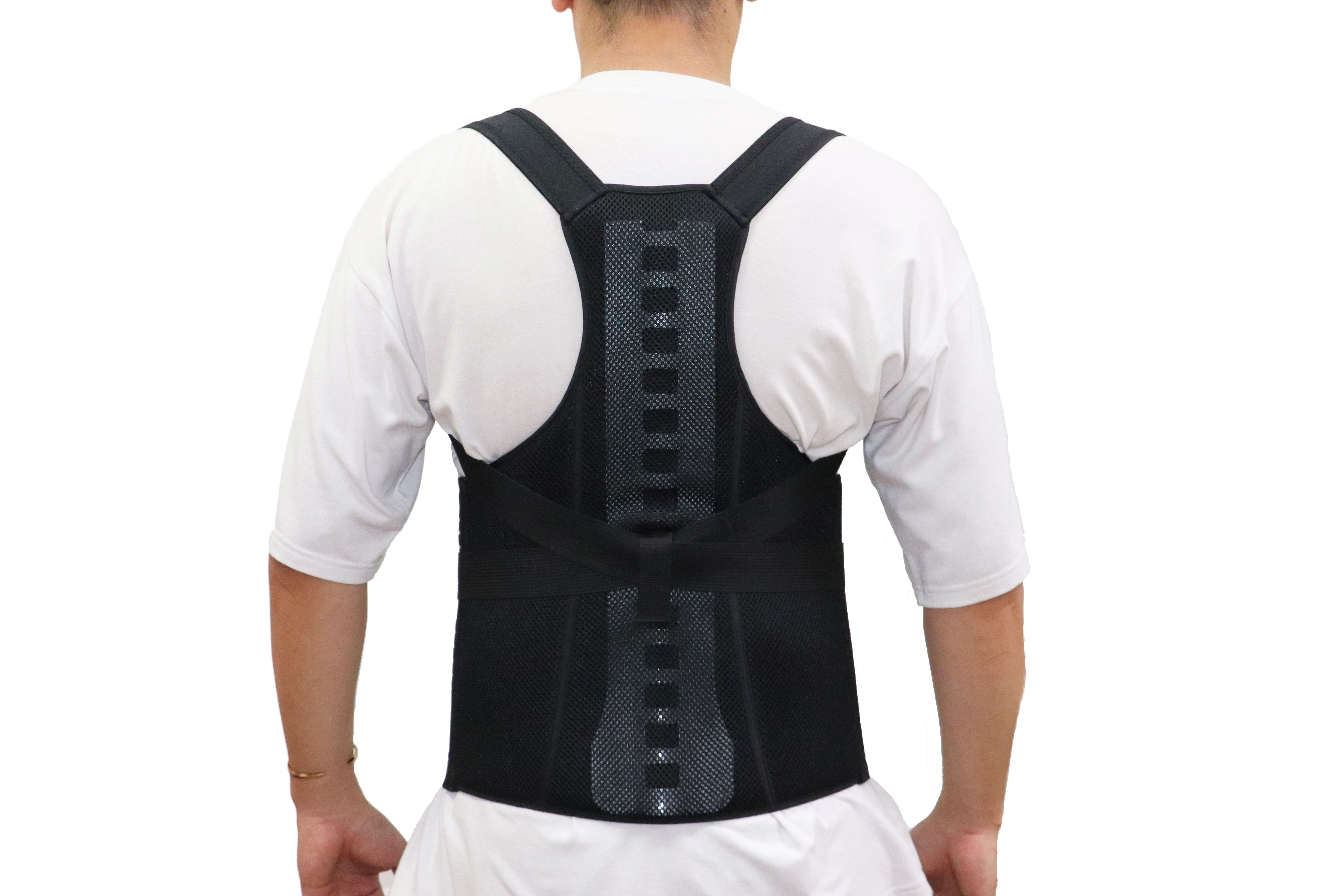
Why Lumbar Support Braces Matter in Sedentary Work Environments
Sitting for long periods puts a lot of pressure on the lower back area, specifically those five vertebrae that carry most of the body's weight when we're seated. When someone spends hours at their desk without taking breaks, the natural curve in the spine starts to flatten out. This puts extra strain on both the discs between the vertebrae and the muscles around the spine. The result? Many people end up with ongoing lower back problems. Studies suggest something like 80 percent of office workers deal with this issue eventually. That's where good quality lumbar support comes into play. A well-fitted brace helps maintain proper spinal posture and spreads out the pressure across the lower back instead of letting it all concentrate in one spot.
Studies indicate that wearing braces can cut lower back muscle activity in half during long periods sitting at desks or computers, which gives tired muscles much needed rest while helping maintain proper spinal alignment. These supports stop people from slumping forward unconsciously, something that often causes pain to travel up into the neck area. Workers who spend most of their day sitting need to remember this: using a good quality brace consistently makes a real difference in preventing slipped discs and other office-related back problems. Combine brace wear with short walks every hour or so, and it creates a solid strategy for staying comfortable through those marathon workdays without ending up sidelined by chronic pain.
Maximizing Lumbar Support Brace Effectiveness Through Proper Fit and Wear Protocol
Proper fit and strategic wear timing transform lumbar support braces from passive aids into active injury prevention tools for desk workers. Misalignment or improper compression negates biomechanical benefits, while over-reliance can weaken core musculature long-term.
Achieving Optimal Fit: Alignment, Compression, and Adjustability Guidelines
Place the stiff part of the brace right over those middle lower back bones, around where they call it L3 to L5. Feel for that bony ridge along your waist (that's the iliac crest) and make sure the top edge sits just under your bottom rib. The straps need to give some pressure but not too much - ideally, two fingers can fit between the brace and skin without making it hard to breathe properly. Try moving forward while sitting to see how it feels. The brace shouldn't slip up or dig into any spots. According to some recent research from last year, about two thirds of people who complain about their braces actually had them positioned wrong vertically. Getting this right makes all the difference in comfort levels.
Wear Duration and Timing: When (and When Not) to Use a Lumbar Support Brace During the Workday
Try not to wear the brace nonstop for more than two hours at a time, especially when doing things that keep us sitting still too long like those endless video calls or marathon sessions typing away at spreadsheets. Take it off completely during short walks between meetings, quick stand-ups, or whenever grabbing lunch so our body can activate those deep muscles that support the spine naturally. The best time to actually need the brace is usually after lunch when our discs start drying out and we're more likely to slouch forward without realizing it. And absolutely no sleeping in one of these supports either! Research suggests wearing them all night cuts down on how well our transverse abdominis works by almost 30 percent, which basically means our core gets weaker over time instead of stronger.
Integrating Lumbar Support Braces with Ergonomic Workplace Adjustments
Lumbar support braces offer specific support for the lower back area, though they work much better when part of an overall ergonomic setup. If someone just uses the brace without making changes to their chair, desk level, computer screen placement, or feet positioning, it might not actually help all that much. Worse still, it could lead to some pretty uncomfortable situations or worse yet, develop bad posture habits over time as people compensate in strange ways.
Synergistic Setup: Chair, Desk, Monitor, and Footrest Alignment for Brace Efficiency
Getting good ergonomic setup begins with adjusting chairs so the brace actually fits against the lower back curve properly. The seat needs to be high enough that feet can touch the ground or footrest with knees bent around 90 degrees. This stops the pelvis from tilting backward, which messes up where the brace sits and makes it less effective. For desk height, aim for elbow position where typing feels comfortable without hunching shoulders forward. Keep the spine straight while working. Monitors should sit level with eyes and about arm's length away to avoid straining the neck. Looking down puts extra pressure on the lower back area supported by the brace. Footrests matter a lot if feet hang off the edge of the chair. Uneven weight distribution throws off balance in the pelvis area and makes the brace work harder than it should. When everything lines up correctly, the lumbar support does what it's supposed to do - help out instead of fighting against how our bodies naturally move when we sit for long periods.
| Element | Optimal Position | Impact on Brace Effectiveness |
|---|---|---|
| Chair | Lumbar curve matching brace contour | Eliminates pressure gaps and slippage |
| Desk | Elbows at 90°, shoulders relaxed | Prevents slouching that overworks brace |
| Monitor | Top at eye level, arm's length away | Reduces spinal compression on braced area |
| Footrest | Thighs parallel to floor, knees 90° | Maintains pelvic neutrality for even support |
Ready to Elevate Your B2B Lumbar Support Brace Lineup?
- Customization: Modular designs (adjustable straps, size ranges, branding integration) to align with your target B2B segments (corporate wellness, office furniture OEMs, medical distributors).
- Clinical Backing: Data-driven features (L3-L5 targeting, optimized compression) validated by orthopedic research—differentiating your product in competitive B2B markets.
- Compliance: Full adherence to global standards (ISO 13485, CE, FDA) to streamline your market entry and meet corporate procurement requirements.
- Scalability: Bulk production capabilities with supply chain redundancy, ensuring on-time delivery for large B2B orders (e.g., corporate-wide wellness rollouts).