 EN
EN

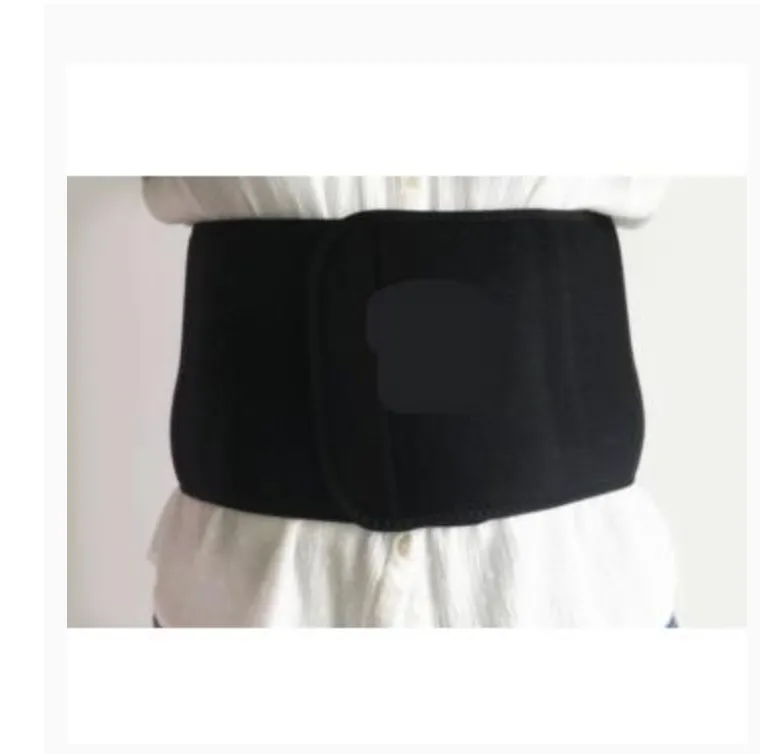
Why Targeted Back Support Is Foundational to Office Ergonomics
Sitting for prolonged hours places sustained pressure on the lumbar spine, often leading to fatigue and discomfort. Targeted back support directly counteracts this by maintaining the spine’s natural S-curve, reducing strain on intervertebral discs and surrounding musculature. Without deliberate lumbar support, the pelvis tends to rotate posteriorly—flattening the lumbar lordosis and increasing intradiscal pressure by up to 40% compared to neutral alignment (Spine Health Initiative, 2023). A well-designed back support element—whether integrated into the chair or added as a separate cushion—helps preserve neutral posture, allowing the core muscles to relax rather than constantly brace. This foundation is why ergonomic assessments prioritize back support as the starting point: it aligns the rest of the workstation setup around a stable, balanced seated position. When back support is missing or inadequate, even the most expensive chair or adjustable desk cannot fully compensate—making it the cornerstone of office wellness.
Choosing an Ergonomic Chair with Effective Back Support
Lumbar contour, adjustability, and dynamic responsiveness: what truly delivers back support
Effective back support demands precise lumbar contouring that mirrors your spine’s natural curvature—not a generic “bump.” Adjustable mechanisms for height (4–6 cm range) and depth (3–5 cm) let you customize support to your unique anatomy, preventing localized pressure points. Dynamic responsiveness—where the backrest moves with your posture shifts—is critical: chairs with synchronous tilt mechanisms maintain constant lumbar contact during recline and reduce spinal compression by 32% compared to fixed or poorly synchronized designs (Ergonomics Journal, 2024).
Key non-negotiable features include:
- Depth-adjustable seat pans to prevent thigh pressure and sciatic nerve compression
- Tension controls calibrated for different body weights
- 4D armrests that support neutral shoulder alignment
Chairs lacking these features enforce static postures, increasing disc pressure by 40% versus dynamically supportive alternatives (Spine Health Initiative, 2023).
Avoiding common chair pitfalls that undermine back support—static design, poor depth control, and misaligned pivot points
Static backrests create damaging rigidity: research shows fixed lumbar supports mismatch 70% of users’ spinal curves, promoting sustained flexion and muscle fatigue (Occupational Health Review, 2024). Poor depth control compounds this—seats exceeding thigh length compress the sciatic nerve, while overly shallow seats destabilize pelvic alignment and collapse lumbar support.
Misaligned pivot points rank among the stealthiest failures. Tilt mechanisms placed above hip level force unnatural hip flexion, increasing lumbar disc load by 28%. To test engineering quality, recline slowly: jerky motion or loss of lumbar contact signals poor pivot placement. Always verify:
- Seat tilt axis aligns precisely with hip joint centers
- Backrest angle adjusts independently from seat pan angle
- Casters provide a stable, wobble-free base during movement
These criteria prevent microtrauma accumulation—the silent driver of chronic low-back strain.
Optimizing Workstation Setup to Sustain Back Support Throughout the Day
Even the best ergonomic chair cannot sustain back support if the surrounding workstation layout works against it. Monitor height, desk depth, and seated posture must function as an integrated system. When your screen is too low or too far, you instinctively lean forward—collapsing the lumbar curve and disengaging the chair’s support. A desk that is too shallow forces shoulder protraction and upper thoracic rounding, which pulls the pelvis out of alignment and indirectly undermines lumbar stability.
Monitor height, desk depth, and seated posture synergy for continuous back support alignment
Position the top of your monitor at or slightly below eye level—this maintains cervical neutrality and preserves the full kinetic chain from head to pelvis. Keep the screen at arm’s length (50–70 cm) to avoid forward reach. Your desk depth should allow forearms to rest parallel to the floor while keeping the keyboard and mouse within easy, relaxed reach. When seated, actively push your hips back into the chair’s lumbar support and keep feet flat on the floor (or on a footrest if needed). This forms a stable triangle—eyes, hands, hips—that sustains alignment without muscular compensation.
Small, intentional adjustments—such as raising the monitor with a stand or repositioning the keyboard tray—can prevent cumulative strain. Sit-stand desks add valuable flexibility, but only when used intentionally: alternating between sitting and standing every 30–60 minutes supports dynamic alignment far more effectively than prolonged static standing.
Building Sustainable Back Support Habits Beyond Equipment
Movement microbreaks, posture variation, and disc rehydration: evidence-based strategies to reinforce back support
Even the most advanced ergonomic chair cannot ensure lasting back health without complementary daily habits. Static sitting for over 50 minutes continuously increases disc pressure by 40% compared to intermittent movement (Journal of Occupational Health, 2021). Implement movement microbreaks every 30 minutes—standing for 90 seconds to walk, stretch, or simply shift weight—which reduces muscle stiffness by 26% and improves focus and productivity by 12%.
Complement this with intentional posture variation: alternate between upright (90–95°), reclined (105–110°), and task-specific forward-leaning positions to distribute mechanical load across different spinal segments and tissues. Crucially, prioritize disc rehydration: spinal discs lose fluid and height throughout the day due to compressive loading, but studies show brief midday supine rest periods of just 5–7 minutes significantly enhance nutrient exchange and tissue recovery (Spine, 2022). Paired with consistent hydration, these habits transform passive equipment into an active, self-reinforcing back support system—reducing annual low-back injury risk by 34% according to longitudinal workplace safety data.
FAQ Section
Why is targeted back support vital for office ergonomics?
Targeted back support maintains the spine's natural S-curve, reducing lumbar strain and fatigue. It helps prevent the pelvis from rotating posteriorly, which increases intradiscal pressure and discomfort.
What should I look for in an ergonomic chair with back support?
Key features to seek include lumbar adjustability, dynamic responsiveness, depth-adjustable seat pans, tension controls, and 4D armrests. These elements ensure optimal spinal alignment and reduce strain.
How can workstation setup enhance back support throughout the day?
Ensure monitor height, desk depth, and seated posture work in alignment. The top of the monitor should be at or slightly below eye level, and the screen should be at arm's length. Desk depth should allow forearms to rest parallel to the floor.
What daily habits can improve back support sustainability?
Incorporate movement microbreaks, posture variation, and disc rehydration strategies. Alternate sitting and standing every 30–60 minutes, hydrate consistently, and take brief rest periods to refresh spinal discs.